

Old laptops in a storage closet. Retired monitors stacked in the back room. Boxes of cables, phones, printers, servers, and equipment no one has touched in years.
Sound familiar?
Technology changes quickly. As businesses upgrade equipment, old electronics can accumulate just as quickly. The problem is that figuring out what to do with those devices is not always as simple as throwing them away.
Some equipment can be reused, some can be recycled, and some may contain sensitive information. And some may still contain materials with recoverable value.
So, where do you start?
This guide walks you through the basics of business e-waste recycling, including:
- What counts as electronic waste
- What types of electronics can be recycled
- What to consider before getting rid of old equipment
- How to protect sensitive company data
- What happens to electronics after they are recycled
- Whether old electronics may have recoverable value
- How to choose an electronics recycling company
- How to prevent e-waste from piling up again
First Things First: What Is E-Waste?
E-waste, or electronic waste, is electronic equipment that is no longer wanted, needed, or useful to its current owner. For businesses, that can include far more than outdated desktop computers.” is electronic equipment that is no longer wanted, needed, or useful to its current owner; for businesses, that can include far more than outdated desktop computers.
Think about how many electronics your organization uses every day. Computers. Phones. Monitors. Printers. Networking equipment. Cables. Servers. Tablets.
Now think about what happens every time those items are upgraded, replaced, damaged, or simply become obsolete.
For many businesses, those items simply go into storage.
Eventually, one technology refresh becomes several, and a small stack of unused equipment becomes a much larger cleanout project.
The good news? Many common business electronics can be recycled.
What Business Electronics Can Be Recycled?
Electronics recyclers can process a wide variety of equipment, although accepted materials can vary by recycling company and facility.
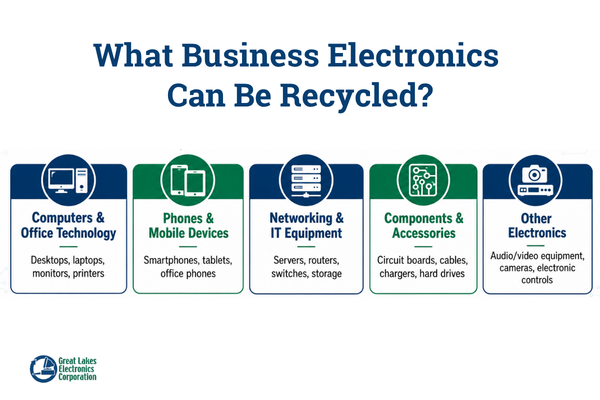
Common examples include:
Computers & Office Technology
- Desktop computers
- Laptops
- Workstations
- Monitors
- Keyboards
- Computer mice
- Printers
- Scanners
- Fax machines
- Projectors
Phones & Mobile Devices
- Cellphones
- Smartphones
- Tablets
- Office phones
- Telecommunications equipment
Networking & IT Equipment
- Servers
- Routers
- Modems
- Network switches
- Storage equipment
- Power supplies
Components & Accessories
- Circuit boards
- Computer components
- Cables
- Wires
- Chargers
- Peripherals
- External hard drives
- USB drives
Other Electronics
- Audio/video equipment
- Cameras
- Radios
- Electronic controls
- Other obsolete electronic equipment
Not sure if something can be recycled?
Ask before you throw it away. A qualified electronics recycler can help determine what equipment they accept and whether any items require special handling.
Why Should Businesses Recycle Old Electronics?
Getting unused equipment out of your building is an obvious benefit. But there are several other reasons to think twice before tossing old electronics into the trash.
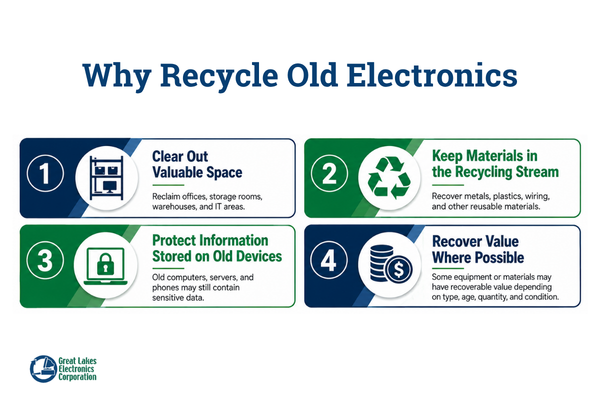
1. Clear Out Valuable Space
Storage space has value. Yet offices, warehouses, IT rooms, and maintenance areas can slowly become holding areas for electronics no one knows what to do with.
Removing obsolete equipment can help your business:
- Reclaim storage space
- Reduce clutter
- Make inventory easier to manage
- Prepare for office moves or renovations
- Avoid larger cleanout projects later
Sometimes the biggest obstacle is simply making the decision to deal with it.
2. Keep Electronics in the Recycling Stream
Electronics are made from a combination of metals, plastics, circuit boards, wiring, and other components.
When electronics are properly processed, recyclable materials can be separated and returned to the recycling stream rather than treating the entire device as waste.
For businesses trying to reduce waste or support sustainability initiatives, electronics recycling can become another part of the organization’s overall recycling strategy.
3. Protect Information Stored on Old Devices
That old computer may not have been turned on in three years. That does not necessarily mean the information once stored on it is no longer important.
Old computers, servers, phones, tablets, and storage devices can contain information such as:
- Customer records
- Employee information
- Financial documents
- Emails
- Login information
- Internal files
- Proprietary company information
- Other sensitive data
That makes data security an important consideration when disposing of electronics.
4. Recover Value Where Possible
Old does not always mean worthless. Depending on the equipment, quantity, condition, and current market conditions, some electronics or their components may have recoverable value.
However, not every computer or electronic device will generate a return.
The value of old electronics can depend on:
- Equipment type
- Age
- Condition
- Quantity
- Components
- Current commodity markets
- Demand for reusable equipment or parts
- Transportation and processing requirements
Rather than assuming your equipment is valuable or assuming it is worthless, it can make sense to have larger quantities evaluated by a recycler.
What Should You Actually Do With Your Old Electronics?
If your storage area is already full, don’t overcomplicate the process. Start with these six steps.
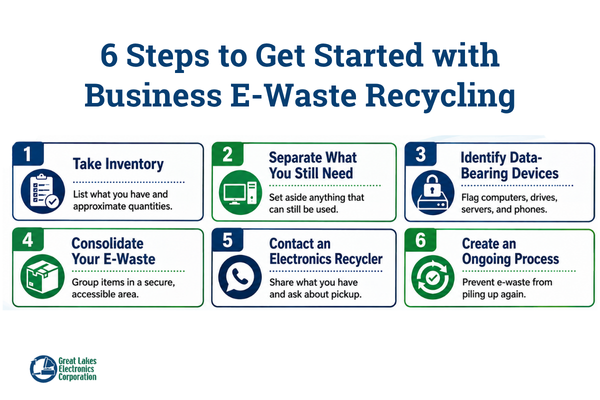
Step 1: Take Inventory
You do not need a perfect spreadsheet containing the serial number of every keyboard in the building just to begin. Start by getting a general idea of what you have.
Walk through your:
- IT department
- Storage rooms
- Supply closets
- Offices
- Warehouses
- Maintenance areas
- Remote locations
Write down the major categories of electronics and approximate quantities.
For example:
- 25 laptops
- 40 monitors
- 12 desktop computers
- 3 servers
- 2 pallets of mixed electronics
- Several boxes of cables and accessories
For a larger project, more detailed inventories can help with planning.
Quick Tip
Take photos. Photos of the equipment, pallets, or storage area can help a recycler better understand what you have before scheduling service.
Step 2: Separate What You Still Need
Before recycling anything, determine whether the equipment is truly ready to leave your organization.
Ask:
- Can another employee use it?
- Can another department use it?
- Is it being held as backup equipment?
- Does it need to be returned to a manufacturer or leasing company?
- Is there a reason we’re keeping it, or has nobody made the decision to get rid of it?
Equipment that still has a useful purpose may be better suited for redeployment. Everything else can move to the next step.
Step 3: Identify Anything That May Contain Data
Not every electronic device creates the same data-security concerns. A box of cables is very different from a stack of old laptops.
Pay particular attention to:
- Computers
- Laptops
- Servers
- Smartphones
- Tablets
- Hard drives
- Solid-state drives
- Flash drives
- Other data-storage devices
Determine what your organization’s policies require before those devices leave your control.
Simply deleting files should not be confused with having a formal process for securely handling data-bearing devices.
Depending on your company’s needs, an electronics recycling provider may be able to assist with data sanitization, physical media destruction, documentation, or other secure handling services.
Ask Your Recycler:
- How are data-bearing devices handled?
- What options are available for data destruction?
- Can you provide documentation after destruction?
Your IT or security team should also be involved whenever equipment contains confidential or regulated information.
Step 4: Consolidate Your E-Waste
Once you know what is ready to go, organize it. This can make collection and transportation much easier.
Depending on the quantity, you may be able to consolidate electronics into:
- Boxes
- Bins
- Gaylord containers
- Pallets
- A designated storage area
Try to keep the area accessible for whoever will eventually collect or transport the material. For companies with several offices or facilities, decide whether electronics will be collected at each location or consolidated at a central site.
Step 5: Contact an Electronics Recycler
Now you are ready to reach out. The more information you provide, the easier it is for the recycler to understand your project.
Be prepared to share:
What do you have?
Computers? Monitors? Servers? Mixed electronics?
How much?
A few pieces? Several pallets? An entire warehouse?
Where is it?
Provide the city, state, and number of locations involved.
Do you need pickup?
Larger business quantities may require freight or on-site collection.
Are there data-bearing devices?
Let the recycler know if computers, hard drives, servers, phones, or other storage devices are included.
Do you need documentation?
If your business requires recycling or destruction records, discuss those needs before the equipment is processed.
Step 6: Keep It From Piling Up Again
You cleaned out the storage room. Don’t let it look the same again two years from now.
A simple e-waste process can prevent another major cleanout. It does not have to be complicated.
Choose a Collection Area
Designate one secure location for retired electronics instead of allowing them to accumulate throughout the company.
Decide Who Is Responsible
Depending on your company, responsibility could fall to:
- IT
- Operations
- Facilities
- Sustainability
- Procurement
- Office management
The important part is making sure someone owns the process.
Set a Schedule
Consider reviewing old electronics:
- Quarterly: Good for companies that frequently replace technology.
- Twice a year: Enough for many midsize organizations.
- Annually: A simple option for companies generating smaller quantities.
You can also schedule cleanouts around major technology upgrades, office moves, renovations, or equipment refreshes.
What Actually Happens to E-Waste After It Leaves Your Business?
For many companies, this is the mysterious part. You load up the old computers. They leave.
Then what?
The exact process varies based on the recycler and type of equipment, but electronics recycling can involve several stages.
Collection
Electronics arrive at or are transported to the recycling facility.
Sorting
Different equipment and materials may be separated based on how they need to be processed.
Data Handling
Data-bearing equipment may require special handling based on the services arranged with the recycler.
Processing
Equipment that has reached the end of its useful life can be dismantled or processed.
Material Separation
Different recyclable commodities and components can be separated for further processing.
This may include materials such as:
- Steel
- Aluminum
- Copper
- Wiring
- Circuit boards
- Other recoverable materials
Recycling
Separated commodities can then move into appropriate recycling streams for further processing and reuse.
Could Your Company’s Old Electronics Be Worth Money?
Possibly. But this is where expectations matter.
Not every old computer is a hidden gold mine.
A newer group of business computers may have a very different value from a pallet of damaged, incomplete equipment that has been sitting in storage for 15 years.

Potential value can depend on:
What You Have
Certain electronics and components may contain more valuable recyclable materials than others.
How Much You Have
Larger quantities can change the economics of transportation and processing.
Condition
Working, complete equipment may have different options than damaged equipment.
Age
Technology loses value quickly as newer generations enter the market.
Current Markets
Commodity and equipment markets change over time.
Processing Requirements
Transportation, sorting, handling, data destruction, and other requirements may affect the overall economics of the project.
The takeaway:
Don’t make value the only reason to recycle.
Instead, look at potential value as an added benefit of responsibly clearing out equipment your business no longer needs.
How Do You Choose an E-Waste Recycling Company?
Not every recycling provider offers the same capabilities.
Before handing over your company’s electronics, ask a few questions.
What Electronics Do You Accept?
Send the recycler your equipment list or photos and confirm what they can process.
Do You Work With Businesses?
Business electronics recycling projects can involve larger volumes, multiple facilities, recurring pickups, transportation, documentation, and data-security requirements.
Make sure the provider can accommodate your needs.
Can You Handle Pickup and Logistics?
If you have several pallets or several locations, transportation becomes an important part of the project.
Ask what collection and logistics options are available.
How Do You Handle Data-Bearing Devices?
Understand the process before computers, servers, or storage devices leave your facility.
What Documentation Can You Provide?
Depending on your needs, ask about documentation related to recycling, data destruction, equipment, or materials processed.
What Happens to the Electronics?
A reputable recycler should be able to explain how your material is handled once it reaches the facility.
What Certifications Does Your Company Maintain?
Industry and management-system certifications can provide another layer of information when evaluating a recycling partner.
Ask the company what certifications apply to the services and facilities involved in your project.
Your E-Waste Cleanout Checklist
Ready to finally tackle that storage room? Use this checklist to get started.
- Walk through your office, warehouse, and storage areas
- Identify unused electronics
- Estimate the quantity of equipment
- Take photos of larger quantities
- Separate equipment your company still needs
- Identify computers and devices containing data
- Confirm your company’s data-security requirements
- Consolidate equipment into one secure location
- Decide whether you need pickup or transportation
- Contact an electronics recycler
- Confirm which equipment they accept
- Ask how data-bearing devices are handled
- Determine what documentation you need
- Schedule your recycling service
- Establish a process for future electronics recycling
Have a Storage Room Full of Old Electronics?
You don’t need to figure it all out yourself. Great Lakes Electronics Corporation started by recycling old computers and today provides full-service scrap metal and electronics recycling solutions for businesses.
Whether you have obsolete computers, electronics, components, cables, or a larger volume of material, our team can help you determine the next step.
We can work with your business to understand:
- What materials you have
- What can be recycled
- How much material needs to be moved
- Whether transportation is needed
- What special handling requirements may apply
Talk to Great Lakes Electronics Corporation about your old computers and electronics.